Showing posts with label photography. Show all posts

Friday, November 30, 2012

flow

Wow it's been a while since my last update.  I haven't been terribly busy with work but I have been keeping busy with other stuff.  I did get one business trip to DC where I managed to make one outing to Ben's Chili Bowl, one of my favorite spots in DC to get a couple of chili half-smokes.  Oh so good, oh so bad.

Notwithstanding the indulgent eating that is de rigeur for the holidays, I've been trying to exercise more, ride my bike, take more walks and do more time on the elliptical.  It's helped me lose maybe 8-10 lbs.  I'm going to try and keep it up with a target of losing about 15 more.

Still getting a lot of use out of my new iPhone 5.  The camera on the iPhone is decent but not awesome.  I get a lot of lens flare or reflections but maybe that's just poor technique on my part.  Anyways I do find myself using it out of convenience a lot more than the Nikon DSLR now.  I've been snapping away lots of pics and even started doing little videos.  Nothing worthy of the cinema or anything but it's kind of neat being able to hold the camera in places you couldn't normally squeeze your head, like under the car.  I also finally made some use of the Kensington phone/iPod suction cup mount I bought a long while ago, and mounted it in the windshield. Holy crap maybe they don't make the one I have anymore but why is it $149 to buy it on Amazon??  Trust me I did not pay that much.     Kensington Dash Car Mount for iPhone and iPod

Since things have gotten pretty quiet at work, I decided to take an extended time off from the office... I basically told them, I'm taking December off, I will see you in January.  And then added a week in January to top it off.  I have 37 days off starting tomorrow, which sounds pretty epic.  Helps me burn off a big surplus of vacation days I had banked.

So what am I going to do with all that time?  Hopefully a lot.  I need to make a list so I can remember to do everything and set some goals, but generally... a bunch of car stuff.  Go driving.  Go for bike rides.  Go for hikes/walks/runs.  Take more photos.  Listen to music.  Watch movies.  Play games.  Go shoot my guns some more. Exercise and lose weight.  Eat some good food (but not too much).  Cook dinner for wifey.  Bake some pastries or cookies.  I suppose somewhere in there I will have to do some holiday shopping (gag).  Wow I have a lot to do!  But for now, I'm going to bed.  Tomorrow is the first day of my vacation.

UPDATE:  I've started a  new blog to specifically cover this 37-day vacation.  Check it out at 37DaysOff.

Saturday, October 27, 2012

shine

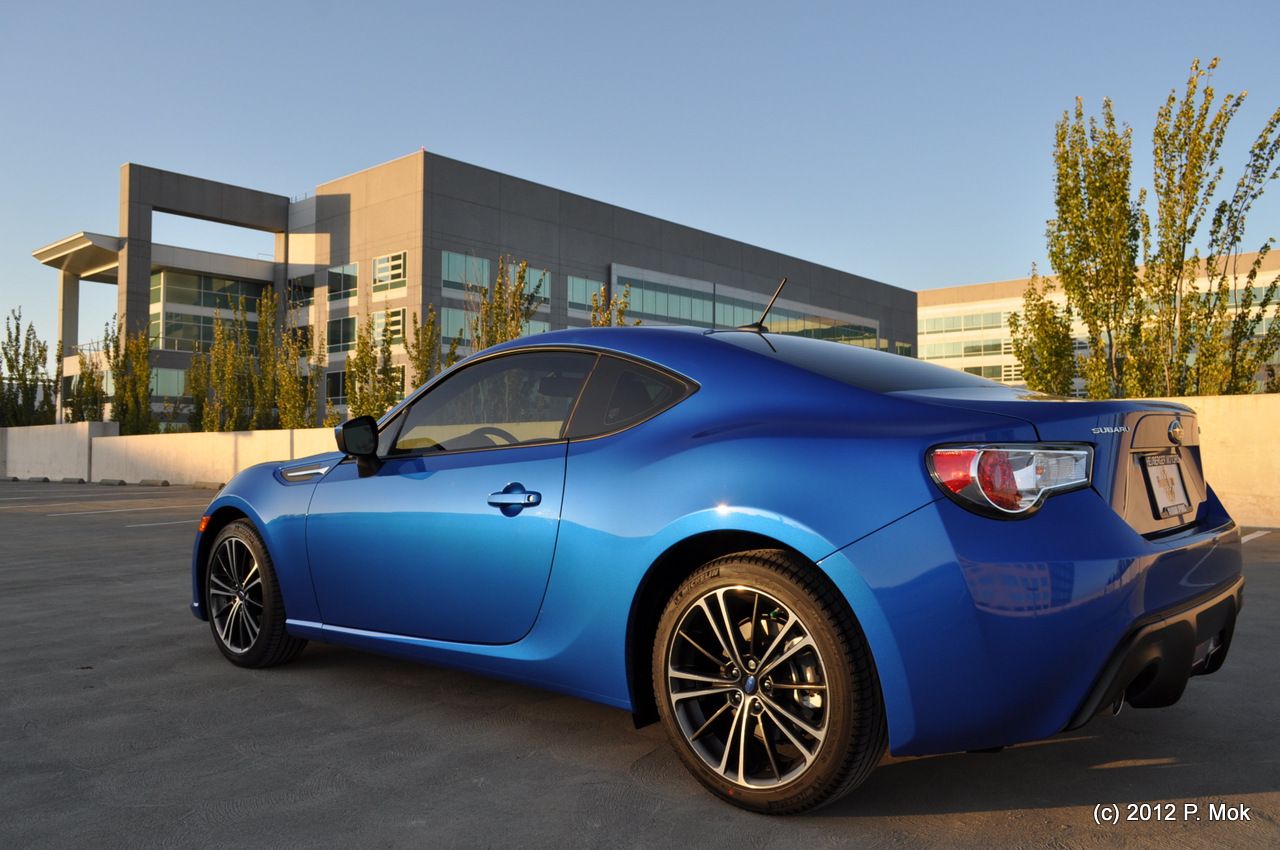
I've decided to name my new car Stitch, after the blue Disney character.
He's blue and has a big smile.

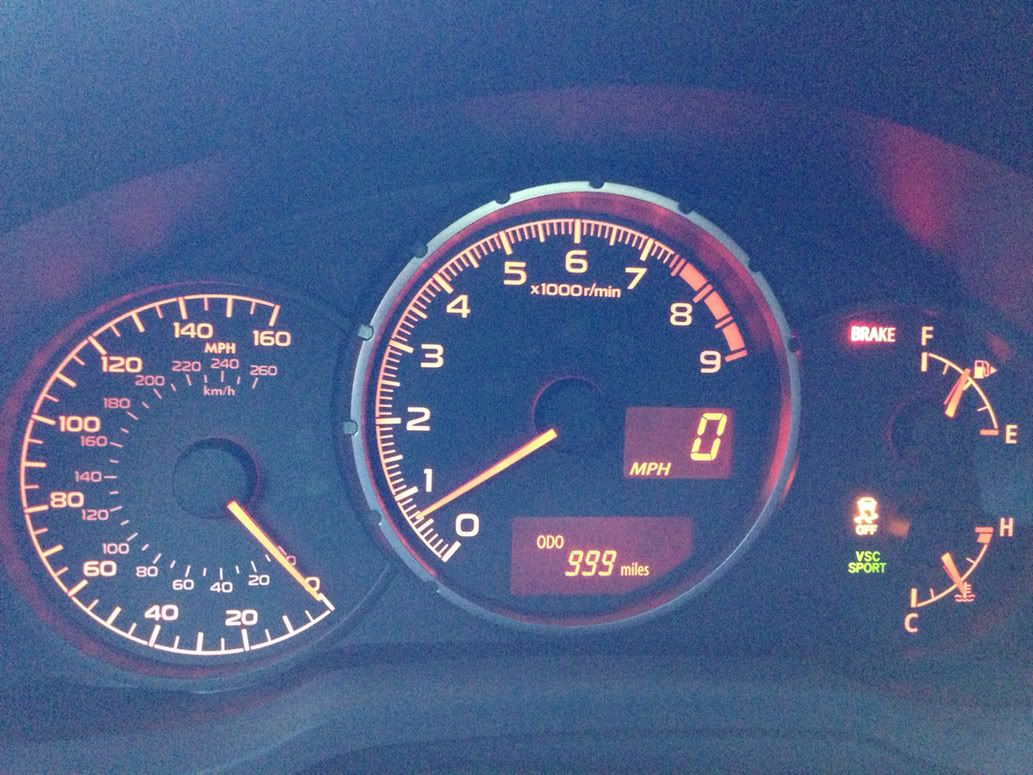
Saturday was quite a day!  First of all I was approaching 1000 miles on the odometer, so I took Stitch out for a nice long drive through some of my favorite roads.  Here is the odometer just as I was about to break 1000 miles.

The moment of truth.
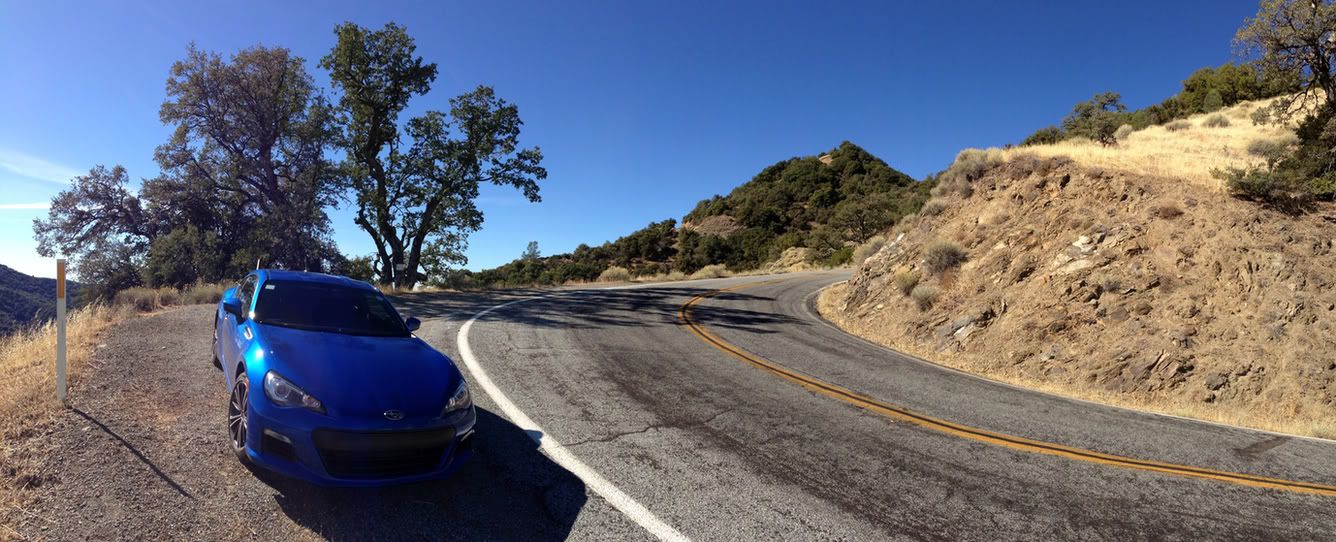
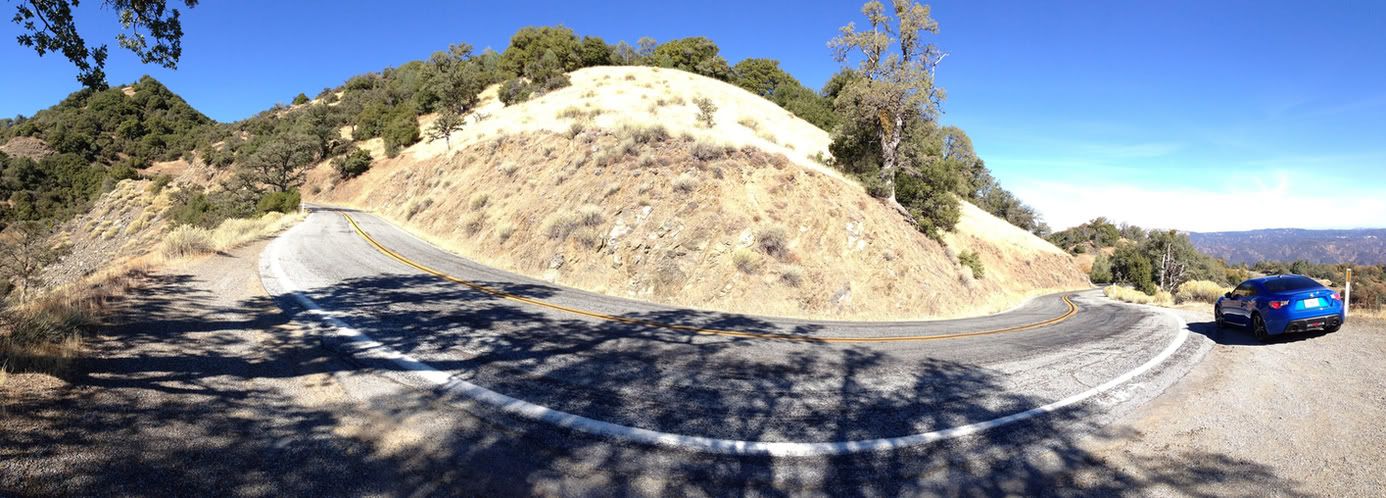
It was very hard for me to keep the motor under 4000 RPM during the break-in period.  But once I passed the magical 1000 mark, it was finally time to let 'er rip!  I took it down Palomares Rd, which I think of as my own personal backyard test track, and then out past the wine country vineyards of Livermore, to Mines Rd.  Mines Rd is one of my most enjoyable driving routes.  It goes out to the middle of nowhere and then runs up Mt. Hamilton to the Lick Observatory above San Jose.  If you're an Initial D fan, Mt. Hamilton is like Bay Area's version of Akina.  It's a beautiful mountain road but an incredibly twisty and challenging drive.  Pretty unforgiving too -- if you make a mistake and go off the edge of the road, you're going off a cliff and down a long ways.  So you have to keep it safe and sane here.  I didn't switch the traction control all the way off, but did go to VSC Sport mode to have a little more fun.

And oh man, what fun it was!  This was my first real opportunity to see what this car is all about, rev it like it was meant to be driven, and push it a little in the corners to see just how crappy the tires are.  To my surprise, they gripped the road fairly well.  I like to drive with the windows down so I can hear the tires and they gave very good audible feedback.  A little scrubbing sound as you start to turn in, gradually increasing in sound as you push it harder.  On a few tight hairpins I got on the gas a little more aggressively at exit and got some wheelspin but as everyone has noted, nothing too dramatic and very easy to modulate.  The whole package was very confidence-inspiring and I was able to drive the car harder than I did the first few times I drove my MR2 there.  With an MR-layout you really have to watch for snap-oversteer if you get too aggressive, but the BRZ's FR layout is much more forgiving and predictable.  The suspension soaked up most bumps very well and I found it much more comfortable to drive than my fairly harsh-riding MR2.  And it offers fairly comparable levels of responsiveness and balance.  I was very pleased with the performance of the car, bone stock -- so I'm not sure I even need to do much upgrading for now, if my main usage of the car is for the mountain twisties I don't want to ruin the comfort and balance it currently has.  If I start heading to the track frequently, then that is another story.


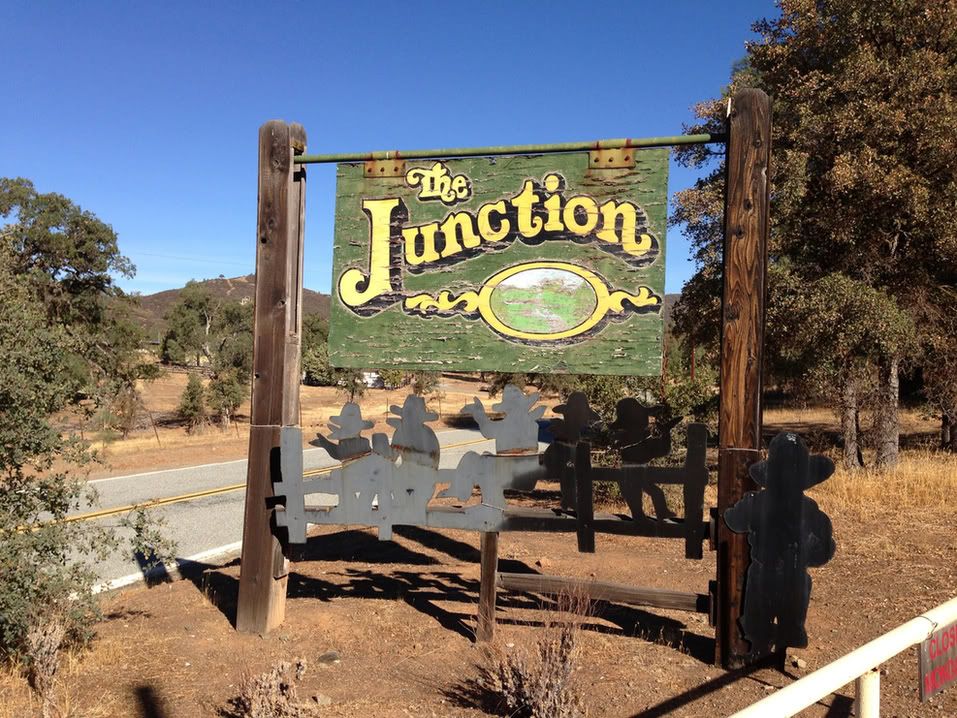
On the way to Mt. Hamilton I stopped by a popular rest point for bikers and cyclists -- The Junction.  Got a few compliments from bikers as I rolled through, but I didn't stay long.  I was having too much fun driving!  When I got to the Observatory at the top of the mountain, there were no other cars there, just a few bicyclists.  The view up there is fantastic on a clear day.  Again, after a brief stop to take a few pictures, it was time to head back down and tear up the roads some more...


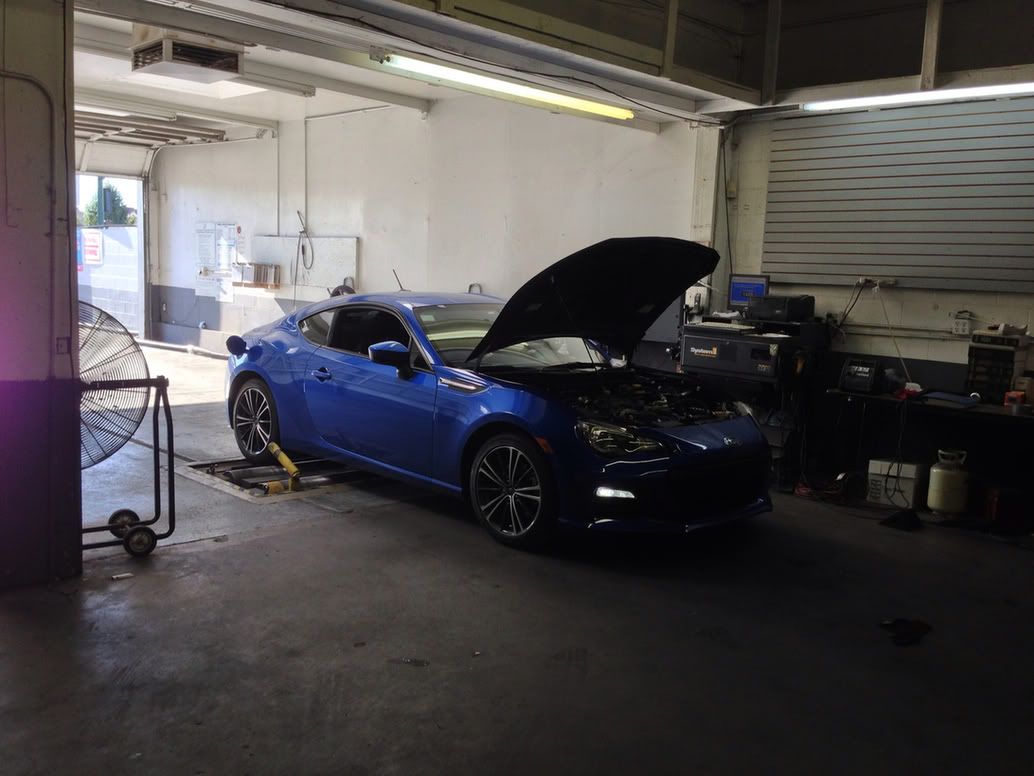
That wasn't the end of my day though.  I also had to take Stitch in to get smogged, so I could register it at the DMV this week.  So I stopped by my local smog test place, the guy there is cool and we talked about the car for a while and he even snapped a pic of it after the test.  Of course, Stitch passed with flying colors!


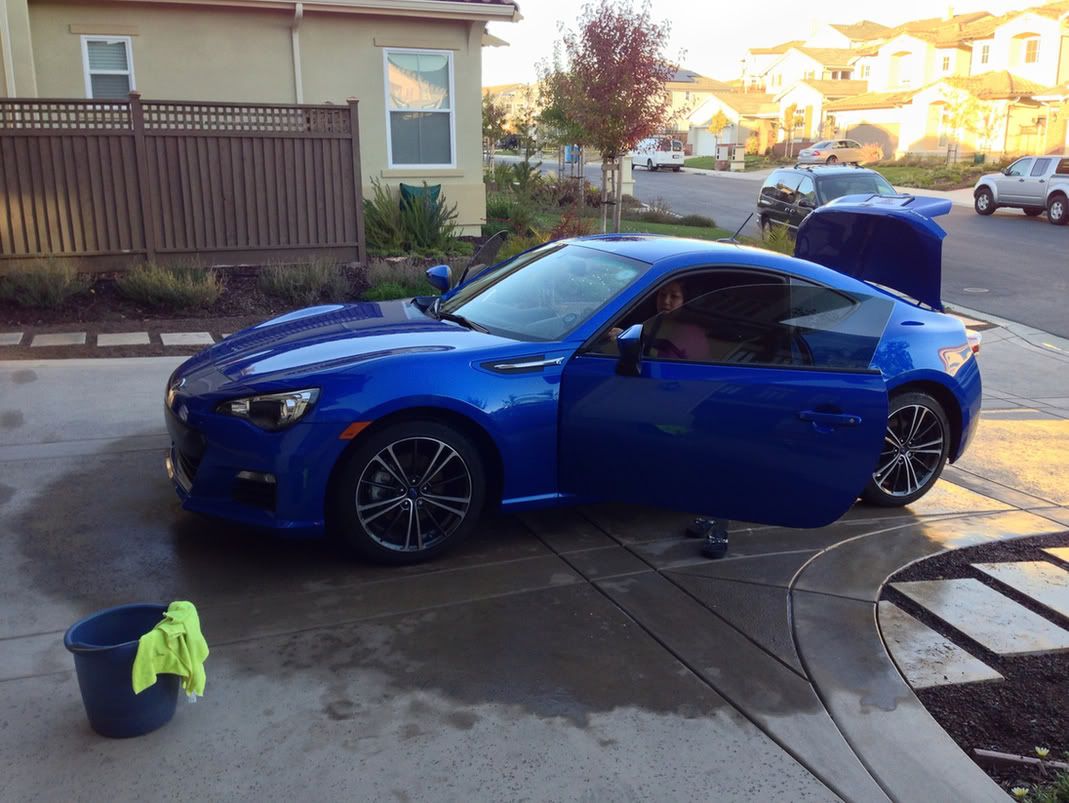
Then it was back home and time to give Stitch a much-deserved bath.  My wife was nice enough to help me clean the interior while I dried the exterior.


Then I spent the rest of the evening applying the 3-stage Meguiar's Deep Crystal Shine system.  Paint cleaner, polish, then wax.  My back is a little sore and my arms a little tired, but man the shine on the car is so impressive, like a mirror.  Maybe in the morning I will take the car out and get some more shots of it in its oh-so-clean glory.  

Saturday, October 13, 2012

lifecycle

The old and busted.
Today I bid farewell to my LG Chocolate II phone.  So long, old friend.  You served me well. Except for the miserably short battery life and lousy signal strength at the end. I'll let it slide, and just remember the good times.

Welcome into the household, the new iPhone 5. I got the black one.  It's oh so slim and sleek, and lightweight.  Very impressive.  The screen is quite sharp and a joy to stare at.  I've spent a good portion of the evening loading it up with apps, music, and pairing it to my cars.  Even paired to the stereo via Bluetooth and played a few songs.  I haven't had a chance to try out the new ear pod headphones yet though.
The new hotness.


I guess you could say I've finally joined the 21st century by giving up the basic phone and picking up a smartphone.  Though technically I've been carrying a smartphone for a while, the Blackberry I have for work.  I never used it for much more than checking my emails and the occasional photo though, it just wasn't all that appealing to me as a smartphone option.  I think in this day and age a smartphone needs a touchscreen, without it you are just not able to interact intuitively with your data and apps.  Just my opinion.  It works for other people I suppose.

It was a natural pick for me to go with the iPhone since I already have an iPod Classic and an iPad.  Since I've already poured dollars into the Apple iTunes and App Store, it didn't make sense to go Android.

Of course that didn't stop V from recently buying the latest hot Android phone as an upgrade to her old HTC smartphone.  She got the Samsung Galaxy S III in white.  We spent a few minutes on Skype video chatting each other from opposite sides of the house.  What a pair of dorks we are.

Wednesday, October 10, 2012

transmissive


I've been driving the BRZ for a week now, and here are my first week impressions:

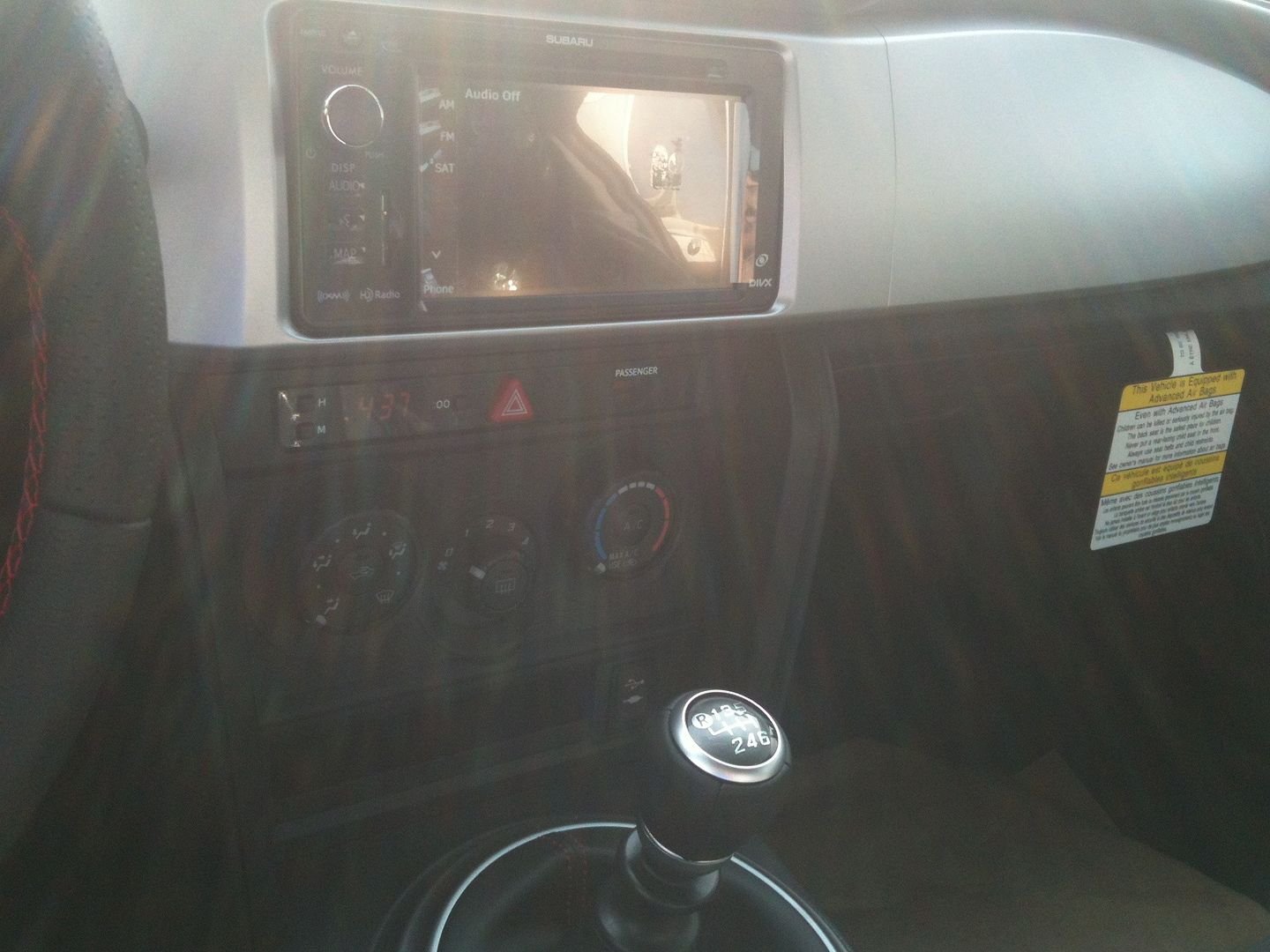
Driving with a 4K RPM limit (during the break-in period) is a real bummer... I'd forgotten how difficult it is to baby a car in its early age.  This car revs really quickly and trying to stick between 2K and 4K all the time is not easy.  Thankfully the car has a programmable rev limit light that I set to 3800 and it reminds me when I hit that to upshift.  It really does feel like driving with one hand tied behind my back, knowing that the car should be revving up to 7400 RPM for the full experience.  Can't wait until the first 1000 miles are through with.  I can't really comment on performance and handling yet, as I haven't really pushed the car's limits very much... it's pretty much been just commuting to and from work.

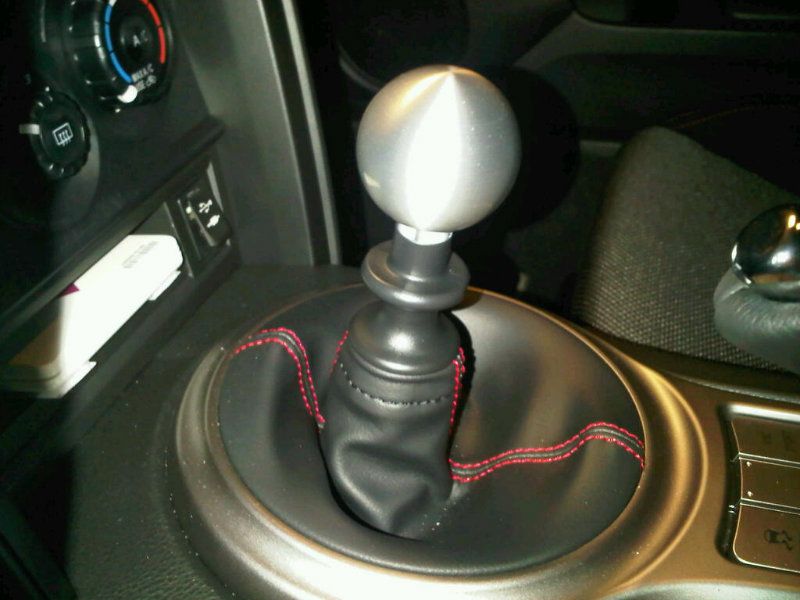
Voodoo knob tested on BRZ.
Still getting used to the clutch and transmission.  Getting better with the clutch now but the 1-2 shift is still a little unsmooth.  All the other shifts seem fine.  Drove a few days sitting in stop-and-go traffic which is fantastic practice I guess.  I took the shift knob off to try some others I had available to put on there, and it is remarkable how heavy the stock shift knob is.  The Voodoo knob from my Spyder that I tried on there is pretty hefty but I think the stock one is pretty comparable.  The Voodoo doesn't fit perfectly so I am not going to use that one, but I might order another Voodoo knob specifically for the BRZ.  


The GPS/navigation is a bit of a letdown compared to the one in my Lexus.  The unit loses GPS signal often and it takes several minutes before it locks on again.  The voice sounds a lot more robotic than the Lexus lady's voice.  And the interface just isn't as smooth as the Lexus's.  You'd think after 6 years any ol' navi would be as good as a 2006-era Lexus navi.  But I guess it's not so.  Same with the phone/bluetooth function.  Maybe it's the old phone I'm using, but there is a 4-5 second pause when I get incoming calls and press answer, before the radio stops playing and I can start talking.  It's just a little unpolished and I expected a bit more from the 2012 technology.


Don't get me wrong, I think this car is pretty fantastic and it's definitely a step up from the basic feature set of the MR2 Spyder which it more or less is a replacement for.  Better seats, better stereo, better ride quality than what I remember the MR2 had before I modified the suspension.  Better information display and controls, better interior materials.  And more storage which is not hard to accomplish when you're comparing to the MR2.  One bummer I've found though is, my rifle case won't fit in the trunk without folding the seats down.  That could have some security implications, as I might not want to take this car out if I'm stopping anywhere else before or after the range.  Guess I should have just bought a big truck, eh?  No.


Well today's my birthday and I have to say I've got all the toys a boy could want.  New car, new rifle, and my  new iPhone is on the way.  Oh and my lovely wifey is making me stone crab for dinner.  Yummmy... OK gotta go!

Wednesday, July 18, 2012

determination

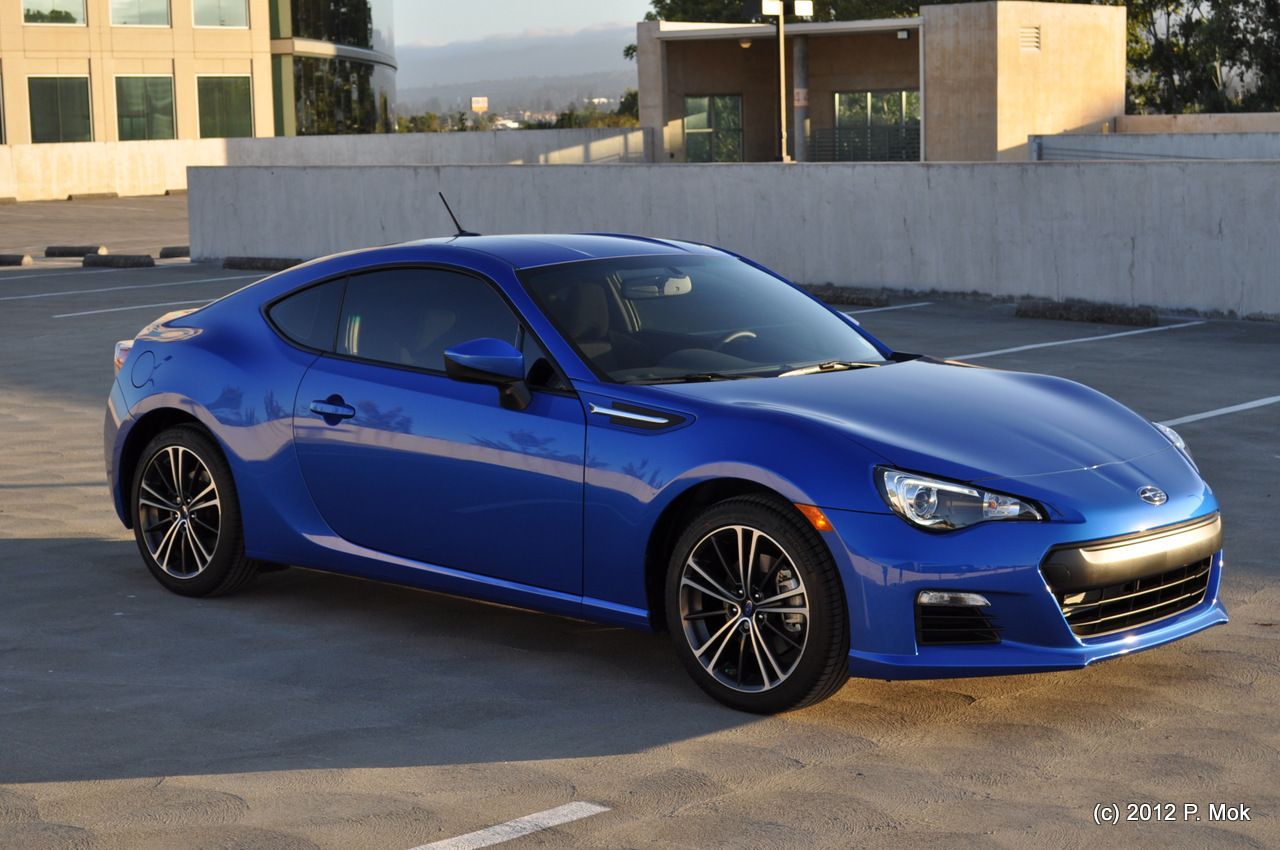
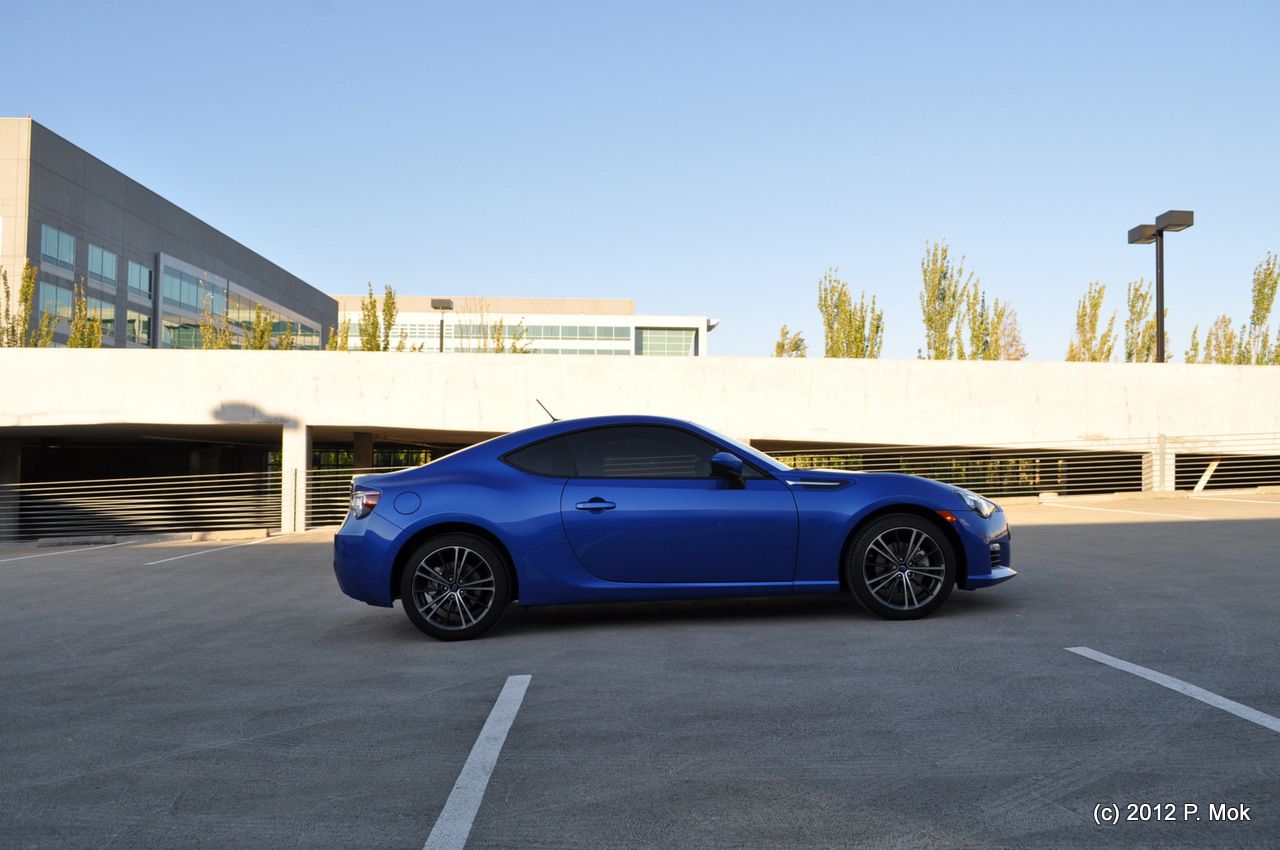
I have been agonizing over my next car purchase for a while now, but I've finally come to a decision.  For a while it was trying to decide between the Scion FR-S or the Subaru BRZ.  I actually went back and forth on this a few times.  Then it was time for perhaps an even more difficult decision, choosing what color to get.  I had narrowed it down to either World Rally Blue or Satin White Pearl.  Both look equally awesome and I think for the lines of the FR-S/BRZ the brighter/lighter colors come off better than the darker ones.  In the end, I chose the WRB BRZ Premium 6MT.

Unfortunately, this is not my car.  But this is what it will look like.  I snapped a few shots of this one at a recent car meet at Blox Racing in Fremont.  Seeing it in person, ultimately helped me make up my mind and confirmed that it is indeed a pretty awesome looking color for this car.  It's also the signature color for Subaru.

So why am I taking/posting shots of someone else's car, instead of mine? Well, I don't have my car yet. Subaru is limiting the production of BRZs to only 6000 cars this year. At the moment because this car is so new, the demand heavily outpaces the supply. Most of the local dealerships in Northern California are all sold out, or have pre-orders and waitlists filled until 2013. Those dealerships that didn't take pre-orders are for the most part  severely price-gouging when their cars come in, marking up the price of the car by $4,000 or more.


 So what to do?  I started reaching out further and further, to places like Redding, CA and Reno, NV.  And eventually caught wind that a dealership in Colorado Springs, CO was actually offering some great deals.  They, unlike everyone else I've talked to in the Pacific NW region, are selling BRZs for less than MSRP.  No markups, no sneaky tactics, no unwanted addons.  Almost too good to be true.  I fired off a few emails with questions and made the plunge this week, putting down a deposit for a an order to get a BRZ just the way I want it.  They say my car should arrive in 2-3 months.  So now it's time to wait patiently yet again to get what I want...


...

Well, seeing as it's going to be a while, how's about I share a few photos of some of the models I ran into at the show.  Enjoy.


Sunday, May 13, 2012

decolletage

I've given the blog a design makeover, starting with one of the standard "simple" templates but of course tweaking it with my own style.  I guess you could say it's a fresh look and a reflection of my current sensibilities.

Design and style have been on my mind lately... thinking about things from cars to photography to landscaping.  One of the sites I stumbled upon has been great inspiration and is appropriately named, linxspiration.  The tagline currently reads "Look Classy - Live Classy".  It interestingly enough, intermingles images (usually with very little or no accompanying words) of things like technology, cars, fashion, architecture, and women.  Usually very scantily clad women, which makes me sort of question the "Classy" tagline.  Though perhaps the absence of total nudity is what keeps it classy.  I'm tempted to finish this off with an image of Ron Burgundy, but at the risk of being a hypocrite I will instead feature one of the hotties spotted on the site.


hubba hubba.

Sunday, April 22, 2012

photometric

Congratulations to my brother-in-law JT and his beautiful bride Kim who had their wedding yesterday.  I of course brought my Nikon D5000 along for photos.  Yesterday was an awesome day of fun and love, topped off by a fantastic sunset dinner cruise through the San Francisco Bay, under the Golden Gate Bridge and the Bay Bridge.  It was a small, intimate wedding day so it was truly special and full of emotional moments.


I think the D5000 takes great pics but for these kinds of low-lit and back-lit situations I am starting to wonder if I should upgrade and get a DSLR with a full-frame sensor.  At night there were definitely some times where the autofocus was not working too well in the dark.  I could probably also benefit from an external flash.  Oh what an expensive hobby.  But the technology advances so quickly now.  Nikon has the new D3200 DSLR now and it has a whopping 24 MP resolution (compared to the 12 MP of my D5000), and it costs less than what I paid for my D5000 new.  Of course it's not a full-frame sensor either, but it is tempting to make a small upgrade and still be able to use my AF-S lenses.

Friday, February 24, 2012

hyperdrive


The home office setup - it's where all (ok, most of) the magic happens. Excuse the clutter, I'm multitasking!
Posted by Picasa

Thursday, February 02, 2012

advertising


The Super Bowl, America's ultimate celebration of NFL football championship is coming this weekend.  To tell you the truth since it's New England vs. New York we West-Coasters don't really give a rat's ass who wins this year.   Since I'm not really a huge football fan I tend to watch just as much for the Super Bowl ads as for the game.  Usually there is a lot of hubbub about the incredibly expensive and often creative television ads that major companies will debut at this hugely-watched event.  No doubt Doritos and Budweiser will have some spots that will be the water-cooler talk-of-the-town for days after the game, but right now I'm seeing a lot of sneak previews on the automotive websites, showing both some pretty cool and pretty lame ads for various auto makes that are hoping to kick start their 2012 sales and become part of the  post-Super Bowl buzz.

Kia's new ad for the Optima sedan is one such ad that to me seems to hit the right spot:  it's creative, it's funny, it targets their ideal demographic, and it features Adriana Lima, Motley Crue, and UFC fighting.  Need I say more?

Oh, I do?  Well how about a supplemental 5-hour video of Adriana Lima waving a flag in slow motion, compliments of Kia?  Ok, you're welcome.  Hit the link below to see both the ad and the 5-hour slo-mo Limafest.  I envision lots of people just putting that up on their big screen TVs and using it as a backdrop... not just because Ms. Lima is there, but because the happy little bossa nova beat is just fantastic as background music.

http://www.autoblog.com/2012/02/02/kia-debuts-adriana-lima-infused-super-bowl-ad/#continued

Thursday, December 22, 2011

demolition

December is here once again.  Two trials, and a whole year in our new place now behind me.  I've decided to take the rest of the year off (sounds so much more grand than saying I'm taking 2 weeks off, right?) and started telling people at work, I'll see you in 2012.  Some of them seem a little put off by that.  Most satisfying.

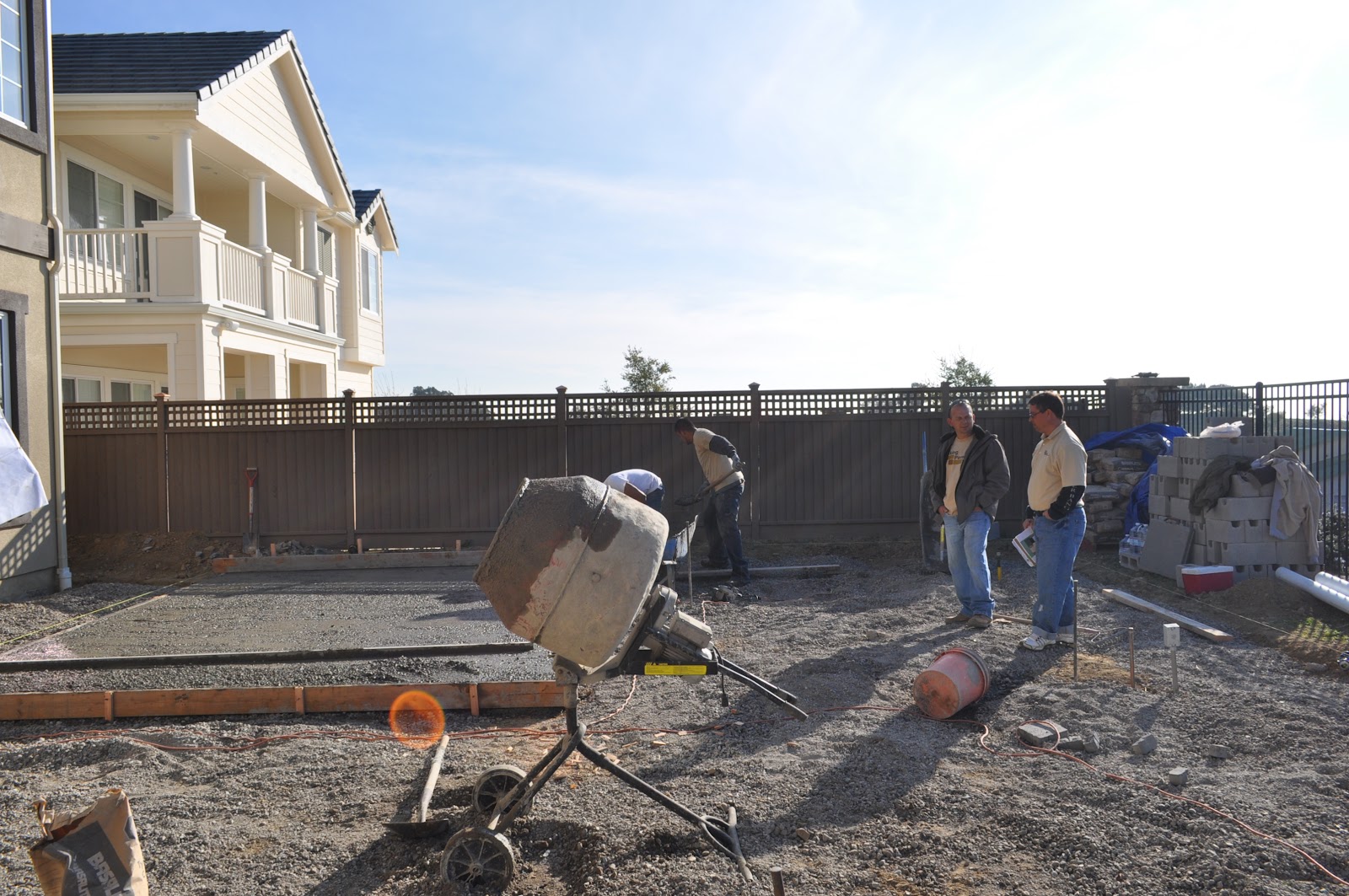
And just as I return from Washington DC and settle into my comfortable routine of staying up late watching movies and playing video games, and sleeping in ... what is this cacophony outside?  Oh that's right, I have an army of workers outside digging, hammering, pouring cement, building walls, and bringing my backyard designs into fruition.  Can't believe it's finally happening.  We got our city permits, HOA approval and everything.  Months of talking about design ideas and choosing stone materials for pavers and tiles and moldings, actually turned into something really being constructed!  It's very exciting for us, not to mention costing us most of the remaining savings we had left after purchasing the home, so we are of course monitoring things very closely and taking pics of everything that goes on.  Oh, Mauro is going to move a pile of dirt from one side of the lot to the other with the Bobcat?  Hold up, let me go get my Nikon...


Can't wait to see it all when it's done.  Firstly, because it's going to be awesome.  Secondly, I can start sleeping in again.

Saturday, October 15, 2011

wondrous

Check out this awesome time-lapse photography video.  Watch it fullscreen, on a big monitor or TV if you can.  It's just breathtaking sometimes, when you see how beautiful nature can be.


Landscapes: Volume Two from Dustin Farrell on Vimeo.


Got a few minutes or a few hours to kill, and trying to attain a childlike state of amazement and wonder?  Search for "time lapse nature" on vimeo.  You're welcome.

Saturday, November 13, 2010

importation

We're about to move to our new place up in the hills but we have a few more days to go.  My vacation has begun though so that means ... Time to update the blog!

I know at least some of you have been wondering whether an iPad would make sense for their needs instead of a laptop.  So I plan to have several posts about using the iPad for different tasks that I've been doing, and how it has been better or worse than what I was using before, which was a laptop docked to a monitor, keyboard and mouse (essentially your typical PC). For this update I will focus on one of the functions for the iPad that I mentioned before:  managing and working with photos.  I have to say, that so far the abilities of the iPad are a little disappointing for me for this function.

Before I get into the details let me talk about what my typical photo workflow is in the context of the previous setup, using my laptop.  I take photos with my Nikon D5000, and I want to offload them from my memory card.  I use a USB card reader, and plugging in the SD card kicks open Google's Picasa image management software (which is free).  From there I can copy the images over to the laptop's drive, and back them up to      an external drive.  Then Picasa lets me review my images, delete the ones I don't like, and tag (star) the ones I like.  I can also adjust basic things like brightness, contrast, white balance, as well as rotate and crop the photos all within Picasa.  

Typically that's all I need to do with my photos, but if I need to, I'll open the photo up in PhotoShop if I want to do anything more advanced like touching up the photo, removing items from the picture, stuff like that.  If I want to use multiple photos together (for instance in my San Francisco series) to build a panorama I use Autostitch, another free app.  Save the file, and then it's back to Picasa.

From Picasa I can organize the photos into folders, and upload them to Picasa online so that I can share the photos with everyone.  I also have accounts with Photobucket and Flickr, but for those I just upload through the web browser.  And then I may publish the photos or links to them on this Blog or on Facebook.  That's about it, 99% of the time.  I very rarely print my photos but if I do I will pick them out using the Picasa viewer and export them to send to the printer.   

Ok, so let's move over to the iPad workflow.  I pop the SD card out of the camera just like before, and use the Apple Camera Connection Kit for the iPad.  Plugging it in automatically launches the iPad's Photos app, and it lets you select which photos to copy over from the card.  Like Picasa the app tells you if your images are duplicates of what's already on the iPad.  You can select everything with one button or tap individually on each photo to select it, and then start the copy process.  However in Photos you can't import the photos into a folder or name the folder.  They just all go into the Photos area.

Once they're imported you view them in Photos as well.  But you only have a few limited ways to sort or view them.  You can't actually move them into another folder or album on the iPad.  There are three views.  

1.  Photos view shows you everything you've got stored on the iPad, unsorted or grouped.  If you have 500+ photos loaded on your iPad, that's a lot of scrolling around through the thumbnails to find the photo you want.  
2.  The Albums view is misleading for me, because you can't actually organize your photos in this view or create any new Albums on the iPad.  It shows you any albums that you've created on your PC or Mac and then copied over to your iPad using the synch feature in iTunes.  In this view all your photos that you've imported through the Camera Connection Kit are    all lumped into an "all imported" album, and there's a separate album called "last imported" for the most recent set you imported.  Then there's a separate album called "saved photos" which contains all other non-imported photos, such as ones you save from the web while browsing, or images that are saved from other apps, whether they are drawings from a 3rd party doodle app or edited photos from a 3rd party editing app.
3.  The last view is Events which basically as far as I can tell, groups the photos you've imported based on what date you imported them.  Even photos taken on the same date, if imported to the iPad on different days, will go into separate Events in this view.

What else can you do in the Photos app?  Not a whole lot.  You can view and delete a photo, and you can email it, or copy it to the iPad clipboard.  You can upload a photo to your MobileMe gallery if you have an account.  No renaming files, no sorting into albums and no tagging.  And to back up the photos to another drive, you have to connect the iPad to your PC or Mac and do a backup through iTunes.  You can't connect the iPad to an external drive to back up the photos directly.  
    
Did you catch all of that?  To me it doesn't make much sense. The organizational function of the Photos app is very weak and I find it frustrating to work with.  It seems like the answer is to sort and organize on your PC or Mac and then synch over to the iPad but that kind of defeats the purpose of having the Camera Connection kit.   I guess if a good 3rd party app was out there that could take the place of the Photos app and add better functionality, that could solve this.  Or I hope that Apple improves the app with future updates.  

Well, let's take a look at the rest of the tasks I wanted to do.  I've been using Adobe's PS Express and Zagg Photo Pad for my photo editing needs. Both are very good for free apps.  The touch interface is kind of neat for adjustment sliders and for cropping photos, but sometimes lacks the precision of a mouse.  I also bought the IOS version of Autostitch ($2.99) for making panoramas.  These are all very cool but I do feel they fall a bit short of their PC counterparts.
  
I can't believe there isn't Picasa for iPad yet but I got the 3rd party app Web Albums which is ok for uploading pics.  There's also a Photobucket app which is pretty good for both viewing and uploading on the Photobucket site.    The closed nature of the iPad's file system prevents you from simply uploading a file through the web browser to sites like Picasa, Photobucket or Flickr.  You need to either have an app that supports uploading to the site or use tricks like emailing in a file if the site has that option.  Once you've got the images up there, linking to them in Blogger or Facebook is a little trickier on the iPad than on PC due to the wonky copy and paste functions, but it can be done. 

So most of the same abilities are there on the iPad, but there is that one glaring issue for me.  What I really want is a way to manage the photo albums on the iPad without going back to the PC.  Maybe this limitation is there by Apple's design, because the storage on the iPad is very finite and they may be trying to make the case for more cloud-based storage and sharing.  That's where the apps like Web Albums and Photobucket come in.  But coming from the PC world I can't help but think that so far, in this particular arena, the iPad falls short of the PC's power.          

clarity


Probably my last SF shots for a while... As we will be moving soon and no more Bay Bridge commute for me. Yay! Maybe I will return when the holiday lights are up around the City.

Friday, October 29, 2010

iterative

From City by the Bay

Quick posting for today -- one of my most recent panoramas of the SF Skyline. It's a stitch of 4 images taken with my kit lens, at 55mm, shot from Treasure Island. I think aside from the one with the crescent moon and the GG Bridge with the blue sky gradient, this is the best one I've taken so far.  Although I think the sky isn't as pretty here, this one is much sharper than the previous one.  This might be the one I send to the printers to make a nice framed print for decorating our house!  Which by the way, we will be getting the keys to the new place in two weeks!  Woot!  Exciting times ...

Wednesday, October 20, 2010

formation

From 2010-10-09 Fleet Week Airshow
October is my favorite month of the year, for several reasons.  It has the perfect fall weather that I like, not too hot and not to cold.  It also happens that my birthday is in October.  This year it was a particularly unique date: 10/10/10.  I don't know if it has any astrological significance, but see my previous posting about the power of the number 10.

Anyways V. took me out to the city and we had a wonderful day of seeing the sights... We parked at Fishermen's Wharf and had lunch at Hooters.  Afterwards we went to the pier and watched the Fleet Week airshow including a performance by the Blue Angels.  That's the other reason I like October, it's always when Fleet Week comes to San Francisco.  I had my camera with me and got some nice shots -- click on the photo above to see the rest of the photos.  And then for dinner we went to one of my favorite dining destinations in SF -- Espetus, the Brazilian churrascuria.  If you love eating meat like I do, you are doing yourself a disservice if you have never had dinner at a churrascuria!  We ate so much we had to roll each other out the front door.

If you know my wife V., you know she always tries to get me the latest in fancy technological gadgets for my birthdays and Christmas.  Well I wasn't expecting anything grand this year because we are trying to save up for the new house that we'll be moving into next month.  So imagine my dismay and outrage when I unwrapped her latest example of utter defiance.  An Apple iPad 3G.


I have to admit I wasn't that impressed by the iPad when it was introduced by Apple.  What is it, really, beyond a jumbo iPod Touch?  And why would I want it when for the same cost I could have a full-fledged laptop?

Several people I know got one, and they all tend to say the same thing.  "You have to try it, and then you'll get it."  And now I have, and I think I get it.  There's a few things remarkable about using it.  It's about the touchscreen interface, and how intuitive it is to use and navigate through the Web, flip through photos, and other objects.  Humans respond favorably to the sensation of touch, and when tightly coupled with a strong visual presentation, this is a significant break from how we traditionally have used computers and technology.  It's not just moving a mouse with your hand, and seeing a cursor move on the screen.  It's reaching out and touching an icon that you see in front of you, and seeing it expand or react to your touch, instantly.  It's also about how small and thin it is, small enough to hold in one hand and walk around with it, or sit on your couch and lounge around while swiping your way through the news or playing a game.  And it turns on instantly and is ready for you to leap onto the internet or into an app, with little or no start-up time.  I don't know if it's as "magical" as Steve Jobs would have you believe, but it is, like the iPhone before it, a game-changer in the technology world.

Now that I have one, and I'm told that the return policy is, well, not an option, the next question is, what to do with it?  One thing I suppose is to flaunt my technological superiority and hipness among my peers by dangling the lightweight tablet around my neck as a medallion, like the supa-fly funky fresh young man on the left.  Couple that with some kind of huge clock app (I'm SURE there's an app for that), and I'm Flavor Flav for the 21st century!  Yeah, boyeeee!

Here are some of the options I can think of, and will be exploring in the coming days:

Web and Reading.  Obviously a major function of the iPad is for surfing the web and reading articles, books, and email.  I haven't bought any books from iBooks yet but I probably will dabble in that, and maybe sign up for some online magazines.  So far reading the web and social networking has been great, especially with this app Flipbook that helps make checking up on your friends' activities and goings-on much more interactive and visually slick.  In the mornings I can roll out of bed, turn it on and immediately check traffic, weather, or the news without having to turn on a PC, and wait for the device to start up, load the operating system, etc.

Work.  I've already got my work email flowing in on the iPad, which lets me switch between multiple accounts on Outlook, Yahoo! and Gmail pretty easily.  The built-in viewers seem to open most PDFs, Word docs, and other typical business documents with no problem.  If I want to edit docs I'll have to splurge on some real business productivity apps like Pages, Numbers and Keynote.

Play.  Obviously there are plenty of games available for the iPhone and iPad.  There are plenty that are free to try out and they range from the simple like air hockey to more complex like Scrabble, and even to the highly complex like the turn-based strategy classic Civilization.  There are some racing games for the iPad that I will probably check out.  I just bought my first game which is a Real Time Strategy game called Land Sea Air Warfare.  I always thought a touch-screen tablet like the iPad would be perfect for playing a RTS and now I'll get to test that theory as I learn a new addictive game.  Oh, how many hours have I wasted playing RTS games?  A lot.

Photos.  Along with the iPad my family also got me the camera connect kit, which makes importing photos into the iPad a cinch.  So I am looking at the various apps available that will help me view, organize, edit, and share my photos more easily.  The view and edit parts are covered with a few free apps including a decent one from Adobe Photoshop, but I need to look for better ways to organize and then share my pictures online.  I've got the Photobucket app, but am considering buying another app that supports uploading to Picasa.  I'm a little suprised the built-in Photos viewer has no ability to really organize your photos on the iPad -- you basically need a Mac and iPhoto to do anything with them.  I guess it's Apple's not so subtle way of saying, "hey, you like the iPad?  Then you should buy a Mac to go with it."

Writing.  The touch keyboard is fairly easy to use especially in the landscape mode, but I might want to consider getting the wireless keyboard if I plan to do a lot of typing.  I am going to try doing more of my blog posting from the iPad to see how that goes.  A portion of this post was written on the iPad, but when it came time to add in photos and do some more writing I went back to my PC and keyboard.  For short posts it should be a lot more convenient.

Music.  Many have said or joked that the iPad is just a iPod touch enlarged.  So obviously it plays music.  The iPod functionality is nothing special, it just plays music like an iPod or iTunes.  It actually feels like something in between, it doesn't have all the same control features of iTunes like DJ mode or ability to edit ID3 tags, song titles etc.  But I'd rather just use my iPod Classic for playing music than have to plug in the iPad to speakers or use headphones with it.  I guess having iTunes and being able to shop for music is better, but maybe where it comes in handy is being able to run music apps like Pandora or Shazam.  But this functionality comes secondary to all the other functions in my mind.

That's it for this update.  Drop me a comment if you have ideas of other ways I could use my iPad that I haven't thought of yet.  After I have had a chance to use it some more I will give further impressions.

Wednesday, September 15, 2010

ephemeral

My mother-in-law's got this plant that blooms only once a year and the flowers only last one night before dying and falling off. I was there and took a few shots of one of the flowers in bloom.

From Flowers
From Flowers
From Flowers
From Flowers
From Flowers

Gather ye rose-buds while ye may;
Old Time is still a-flying;
And this same flower that smiles today,
Tomorrow will be dying.
~Robert Herrick

Sunday, July 18, 2010

visions

This post will just be a quick photo update...

Some fireworks photos from July 4th:


Also because I've been taking the Bay Bridge home after work now, I have had a few opportunities to stop by Treasure Island and take some nighttime skyline shots of San Francisco:
From City by the Bay

this one's kind of massive, and features a 3-image stitch I made with Autostitch, Photoshop and Picasa (click to enlarge):
San Francisco, July 2010

the vista point on Treasure Island is super windy and cold at night so it's a bit of a challenge to capture some of these images; they're still not as sharp as I would like even with a tripod and various photog tricks people have suggested to me. I'll keep trying though, hopefully I will come up with some really nice shots that I would be proud to hang on a wall in our new place.

Sunday, July 04, 2010

relocation

Happy Birthday, America! Happy Fourth of July! A lot has happened in the past few months... but in short we've sold our home, paid off our debts, put our stuff into storage and moved to Richmond! We found a buyer and after some negotiations with him signed a purchase agreement. We finished packing up our things and moved out last weekend, putting most of our stuff into a storage unit that's near our future home. We closed escrow last week and have moved up to Richmond to stay with family until our new house is complete. We had looked at renting an apartment but it seemed like a hassle and for the short term (four months) that we needed it, it wouldn't have been so cheap. So now we have a bit of a lengthy commute for the next few months but we're saving a lot more money by not renting. It's kind of a weird feeling not having a mortgage or any substantial debt to our names. Though that will certainly change again very soon when we move into the new house.

In the meantime, work continues as busy as ever... I had one trial that was scheduled to take place in Boston right about now but it was dismissed just before we were set to leave. I was a little disappointed we didn't get to go to Boston again but I guess I'd probably be working right now (on July 4th) if it had gone forward. But now my other case has been extremely busy and we're gearing up for the next trial in DC that starts in September.

I took some photos recently of an airshow - I didn't actually go to the airshow but it was going on outside of my office building one Saturday while I was working. It's kind of hard to keep focused when there's Harrier jets flying around outside your window. So I took a break and with the power of my 70-300mm lens was able to capture some of the cool aircraft flying around.

Wednesday, May 19, 2010

riparian

We've just come back from a 2-day trip to Yosemite Valley. The landscapes and scenery were pretty awe-inspiring. Here are some of the photos. I probably took over 700 photos in all but many of them didn't turn out the way I wanted them to. That's the great thing about a DSLR like the Nikon D5000, you can just keep clicking away and not worry about wasting film, and then go back and pick the best shots. Anyways we had a good time enjoying the natural beauty of Yosemite, and I had fun trying to capture some of that beauty with my camera. Oh and by the way the wide angle shots were done with a Nikkor 10-24mm lens I rented from http://www.borrowlenses.com/. It's a great way to get access to otherwise expensive equipment like this lens, which retails for like $1000.

Sunday, May 02, 2010

spartan

Construction has started on our new home and our current place is still up for sale -- no decent offers have turned up yet. In the meantime we are kind of resuming our normal life although with a bit more economy and restraint. I've hooked the PS3 back up to the TV so we can at least watch some Blu-Ray movies.

Recently I watched John Woo's epic historical drama Red Cliff which runs a staggering 4+ hours across 2 discs. The film depicts the historical Battle at Red Cliff from 208 AD. Although it's a long film, I thought it was a triumphant return to form for John Woo -- the only disappointment for me was that long-time Woo collaborator Chow Yun-Fat withdrew from the film early in its filming.
But his fellow Hard-Boiled alumni Tony Leung does a reasonably good job playing the charismatic and wily commander Zhou Yu. Some of the memorable battle scenes feature the fearsome general Guan Yu, who to this day is deified by Chinese around the world, as the god of loyalty and righteousness.

Now I'm wondering if I should pull the XBox360 out of the closet as well -- next week the free multiplayer beta of Halo Reach comes out for Halo3: ODST owners... that would include me!  But that would mean I need to renew my XBox Live Gold membership which I let expire, so I'll have to think about it.  Not sure I'll have time to play games as work picks up again this summer...

In the meantime, I did take more photos recently - check out the collection below.  And we have a weekend trip up to Yosemite coming later this month, I am looking forward to seeing (and photographing) some spectacular scenery out there.


-p.